Home · Documentation
Documentation & guides
Everything from your first login to the definitions behind the numbers — written to be used, not marketed.
Quick start
From signup to your first verified dashboard in about 15 minutes.
Google integration
Connect Search Console and GA4 with least-privilege OAuth scopes.
Metrics & definitions
What Search Visibility and AI Visibility actually measure — and their limits.
Troubleshooting
Failed syncs, stuck crawls, empty dashboards — diagnosed step by step.
Approval & publishing
How the human-in-the-loop safety model keeps AI output off your live site until you approve it.
FAQ
Skills, data, billing and support — the questions we actually get.
Quick start
Five steps from signup to a dashboard you can trust.
| Step | What to do |
|---|---|
| 1 | Create your account at app.powerseo.dev/signup and verify your email. Optionally enable two-factor authentication in Settings → Security. |
| 2 | Complete onboarding: workspace, brand and aliases, your domain, a few competitors, goals, integrations, and the AI prompts you want tracked. |
| 3 | Verify your first data sync in Domains — look for keyword rankings, Search Console queries, and AI visibility observations. If nothing appears after 10 minutes, jump to troubleshooting. |
| 4 | Read the dashboards: Dashboard for trends and alerts, Search Visibility for SERP performance, AI Visibility for answer-engine mentions, Opportunities for prioritised actions, Content for drafts awaiting approval. |
| 5 | Invite your team from Settings → Workspace → Manage Members and choose a role: Owner, Admin, Editor or Viewer. |
The platform's job in week one is to establish a baseline, not to ship changes. Connect your data sources, confirm the numbers look right, then work the Opportunities queue in order.
Google integration
PowerSEO imports search and traffic data through OAuth 2.0 with read-only scopes. Here is the full setup, from Google Cloud to first sync.
| Step | What to do |
|---|---|
| 1 | Create a Google Cloud project (or pick an existing one) and enable the Search Console API and Google Analytics Data API. |
| 2 | Configure the OAuth consent screen. Choose External (or Internal on Google Workspace), then add the two read-only scopes below and publish the app. |
| 3 | Create an OAuth 2.0 client of type Web application with the redirect URI from your deployment — e.g. https://api.powerseo.dev/api/google/callback in production. |
| 4 | Save the credentials (client ID, secret, and a 32-character encryption key) in your PowerSEO environment or secret store. |
| 5 | Connect each service from Domains → Integrations, choosing the Google account that owns the property. The first sync usually completes within 5–10 minutes. |
Scopes we request
Read-only, nothing more:
webmasters.readonly
analytics.readonly
Environment variables
GOOGLE_CLIENT_ID=…
GOOGLE_CLIENT_SECRET=…
GOOGLE_REDIRECT_URI=…
GOOGLE_ENCRYPTION_KEY=…
Common pitfalls
"Access denied" means the connecting account needs Owner or Full User access in Search Console, Editor or higher in GA4. A redirect URI mismatch — including http vs https — breaks the callback. Test-mode consent tokens expire in 7 days; publish the app for durable access.
Metrics & definitions
Every number in PowerSEO has a definition, a calculation, and a limitation. Learn all three before acting on any of them.
Search Visibility
An index (0–100) of how visible your tracked keywords are in Google, weighted by estimated search volume and a position-based CTR model. 100 means every tracked keyword ranks #1; 0 means none rank in the top 50. Track trends over weeks, not hours.
AI Visibility
How often your brand or domain appears in AI-generated answers to your tracked prompts, weighted by citation quality where available. AI answers vary between requests — sampling noise is normal, so read trends, not single observations.
Keyword Rankings
Position in Google for each tracked keyword, alongside estimated monthly search volume and estimated traffic (volume × CTR for the current position). Volumes come from a third-party data provider and are estimates.
Content Score
A composite of technical factors, topical depth, readability, and internal linking. It exists to prioritise opportunities. It is directional — a high score is not a guarantee of ranking.
Opportunity Priority
Opportunities are ranked by expected impact, effort, and confidence. High-priority items combine meaningful traffic upside with clear execution steps — work them in order.
Data freshness
Search Console and GA4 data typically refresh every 6–24 hours. Rank tracking runs daily or on demand. AI visibility follows your plan's tracking schedule. Stale is not broken — check timestamps before reacting.
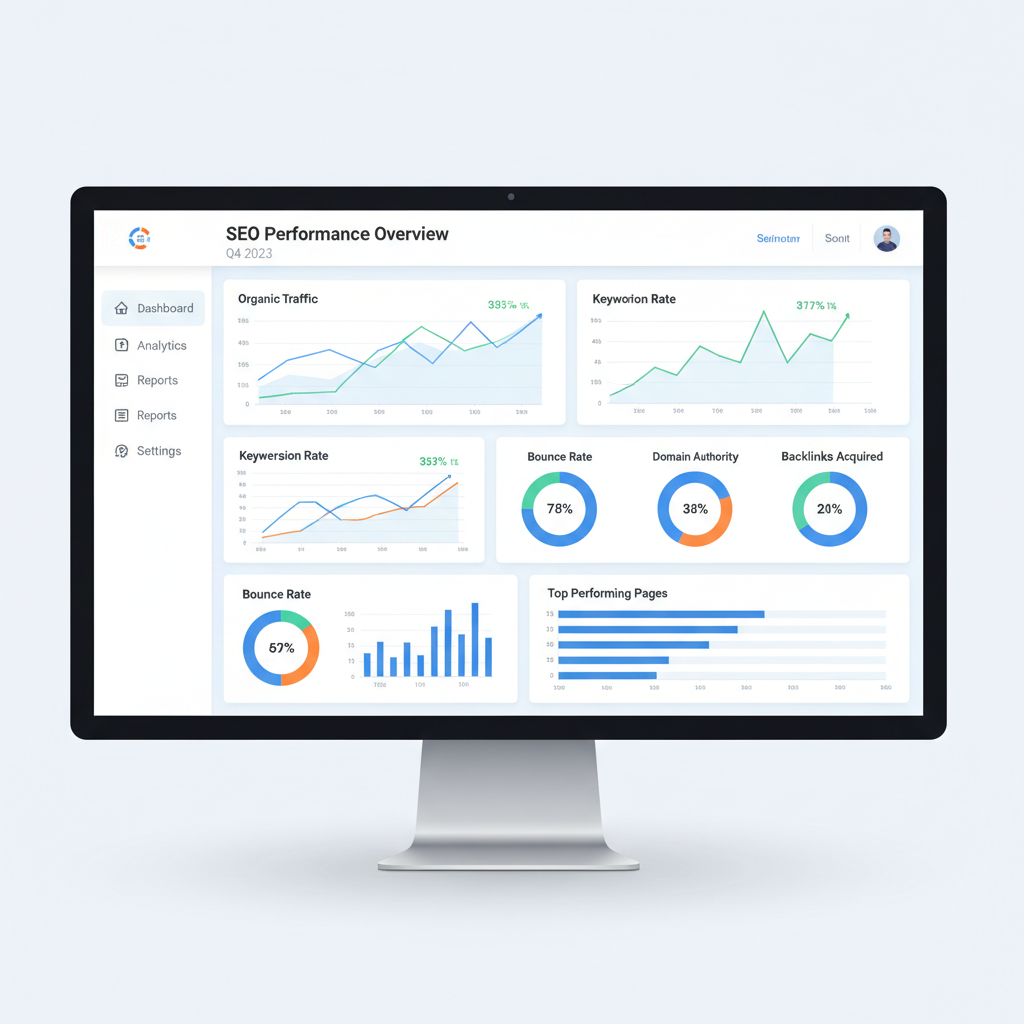
The Dashboard view: trends first, single numbers second.
PowerSEO does not invent numbers. If an integration is disconnected or a provider is unavailable, the chart shows a gap rather than a made-up figure. Accurate, auditable data is the whole point — never interpret a gap as a drop.
Troubleshooting
The six issues that account for almost every support conversation, and how to resolve them yourself first.
Check Last Sync Status under Domains → Integrations. If the token expired, click Reconnect and re-authorize. Confirm the connected Google account still has access to the property, and that the client ID, secret, and redirect URI in your environment match what Google Cloud expects.
Open Domains → Crawls and read the error message. Common causes: your site blocks the crawler (robots.txt, firewall, or rate limit), the start URL redirects to a different domain, or you've hit the workspace's concurrent crawl limit. Retry with fewer start URLs, and allowlist the crawler's user agent if your site blocks unknown bots.
Confirm the prompt is active and assigned to a project, and that the AI provider integration is healthy under Settings → Integrations. Check rate-limit or budget alerts on the dashboard. Some providers decline certain prompts for policy reasons — rephrasing or splitting the prompt usually fixes it.
Make sure at least one domain is connected and a sync has completed, that filters aren't excluding everything, and that integrations are authorised rather than in an error state. If onboarding just finished, wait a few minutes for the first sync — most data appears within 10–30 minutes.
Reset your password from the login page. If you use SSO or a magic link, check spam folders. If two-factor authentication fails, make sure your device clock is accurate — drift is the most common cause of invalid codes.
Disable browser extensions that block analytics or WebSocket traffic, then hard-refresh (Ctrl/Cmd + Shift + R). If it persists, check the status page for an active incident before anything else.
Approval & publishing
PowerSEO generates content and recommendations, but nothing reaches your live site without explicit human approval. This is the safety model, and it is on by default.
| State | Meaning |
|---|---|
| Draft | Initial AI output. Not yet reviewed, never published. |
| In Review | A human is actively reviewing the content or action. |
| Approved | Ready to publish or export. |
| Published | Live on the site or submitted to the CMS. |
| Rejected | Discarded. Not used anywhere. |
Low-risk auto-publishing
Owners can enable limited auto-publishing in Settings → Security → Publishing Policy — restricted to low-risk changes such as internal link additions or alt text updates. Everything else still requires approval.
Second reviewer
Require a second user to approve any approved change before it publishes. Pair it with roles and permissions so only designated people can approve or publish at all.
Rollback from the Activity Log
Every published action is logged with the previous value and the approver's identity. For supported change types, rollback is available from the Activity Log — and reviewing that log weekly is a recommended habit.
When a CMS integration is connected, approved drafts are pushed as pending or scheduled posts — the CMS still controls the final publish step unless you explicitly configure it otherwise. We recommend leaving auto-publishing off until you've validated the output quality against your own standards.
Frequently asked questions
Product, data, billing and support — answered without the sales gloss.
A search and AI visibility intelligence platform. It connects to your analytics, search, and content systems, surfaces opportunities, and helps you execute changes with human-in-the-loop approval. The operating loop is simple: measure, prioritise, execute, verify — in that order, every week.
No. Onboarding and dashboards are designed for marketers and business owners. Technical setup — DNS verification, CMS integration, Google Cloud credentials — is optional and documented above.
Tokens are encrypted at rest, OAuth scopes are read-only and least-privilege, tenant data is isolated, and two-factor authentication is supported. PowerSEO never needs write access to your search or analytics accounts.
Most workspaces see the first search and AI visibility data within 10–30 minutes of connecting Search Console and completing the initial sync. Historical analytics can take a little longer to populate.
AI workloads can be routed through OpenAI, Anthropic, Google AI, Perplexity, and OpenRouter. Provider availability depends on your plan and the API keys you configure.
Yes. Reports and content drafts can be exported directly. For a full workspace data export, contact support@powerseo.dev.
Billing runs through Stripe, monthly or annually, with plan limits on tracked keywords, prompts, crawl pages, and AI generations. Change plans anytime under Settings → Billing — upgrades can apply immediately, downgrades take effect at the next cycle.
Start with the guides on this page. If you're still stuck, email support@powerseo.dev with your workspace name, domain, the steps to reproduce, and any error messages — and check the status page before reporting a possible outage.
Still stuck after the guides?
Tell us what you were trying to do and what happened instead. Real replies, no bots — measure, prioritise, execute, verify applies to support too.
support@powerseo.dev